
.png)
What Is Web Development, Really?
Most people use websites every day without thinking about what runs underneath. You search something, a page loads, you click a button - it all just works. Web development is the work that makes that happen.
Web development is the process of building and maintaining websites and web applications. That includes everything visible on screen (text, buttons, images) and everything invisible (databases, servers, code running behind the scenes).
It is not just coding. It involves planning, design decisions, performance, and security. Depending on the project, one person handles all of it or a team splits it across roles.
- Front-end development covers what users see and interact with
- Back-end development covers servers, databases, and application logic
- Full-stack development means working on both sides
If you are completely new, do not worry about mastering all of this right away. This web development intro is meant to give you a clear picture first.
.webp)
How Does a Website Actually Get Built?
Knowing the process helps more than memorizing tools. Here is how websites typically get built, from idea to live URL.
Step 1: Planning and Structure Come First
Before any code gets written, someone has to figure out what the website needs to do. This step involves listing pages, mapping user flows, and deciding what content goes where.
A simple personal site might need five pages. An e-commerce platform might need hundreds. The planning step prevents expensive changes later.
- Define the goal: portfolio, store, blog, SaaS app?
- List every page or screen
- Sketch a rough layout (wireframe) - even on paper
- Decide if you need a database or just static pages
Frugal Testing works with software teams that often skip this step and regret it. A missing sitemap early on usually means rework in week three.
Step 2: Front-End Development - What Users See
This is where the visible part of the website gets built. Front-end developers write HTML, CSS, and JavaScript to create the structure, styling, and behavior of pages.
- HTML defines what is on the page: headings, paragraphs, buttons, images
- CSS controls how it looks: colors, fonts, spacing, layout
- JavaScript adds interactivity: dropdowns, form validation, animations
Most beginners start here. It gives you fast visual feedback - you write a line, refresh the browser, and see what changed. That feedback loop is useful when you are learning.
Step 3: Back-End Development - What Users Don't See
Not every website needs a back end. A simple blog built with static HTML does not. But as soon as you need user accounts, stored data, payments, or dynamic content, you need server-side code.
Back-end developers write code that runs on a server. They work with languages like Python, Node.js, PHP, Ruby, or Go. They also manage databases - usually SQL (structured) or NoSQL (flexible).
Here is a rough way to think about it:
.webp)
Tools You Actually Need to Get Started
A web development intro is not complete without a tools list. But here is the thing - beginners often install too much too fast. You do not need ten tools on day one.
What to Install First (Keep It Simple)
Start with three things:
- A code editor. VS Code is the most widely used option. It is free and has extensions for almost everything.
- A browser with DevTools. Chrome or Firefox both have developer tools built in. You will use DevTools constantly.
- Git. Version control. Every professional developer uses it. Learn the basics early.
That is it for week one. No need for frameworks, package managers, or deployment tools yet.
Frameworks and Libraries Come Later
Once you know HTML, CSS, and JavaScript, frameworks speed up your work.
- React - the most popular JavaScript library for building UIs. Used by companies like Airbnb, Meta, and Netflix.
- Vue.js - lighter learning curve than React, good for smaller projects
- Next.js - React-based, adds server-side rendering and routing
- Tailwind CSS - a utility-first CSS framework that replaces writing custom stylesheets
You do not need to learn all of these. Pick one front-end framework once you know vanilla JavaScript, and go deep on it.
Front End vs Back End: Which Should You Learn First?
This comes up constantly in beginner forums. The short answer: start with front end.
Front-end development gives you something to see. You can build a personal site, a landing page, a portfolio - things that look finished. That sense of progress keeps you going when learning gets hard.
Back-end development requires more setup and the results are less visual. You will be writing code that returns JSON data or updates a database row. That is less motivating when you are still learning syntax.
Here is a realistic progression for a complete beginner:
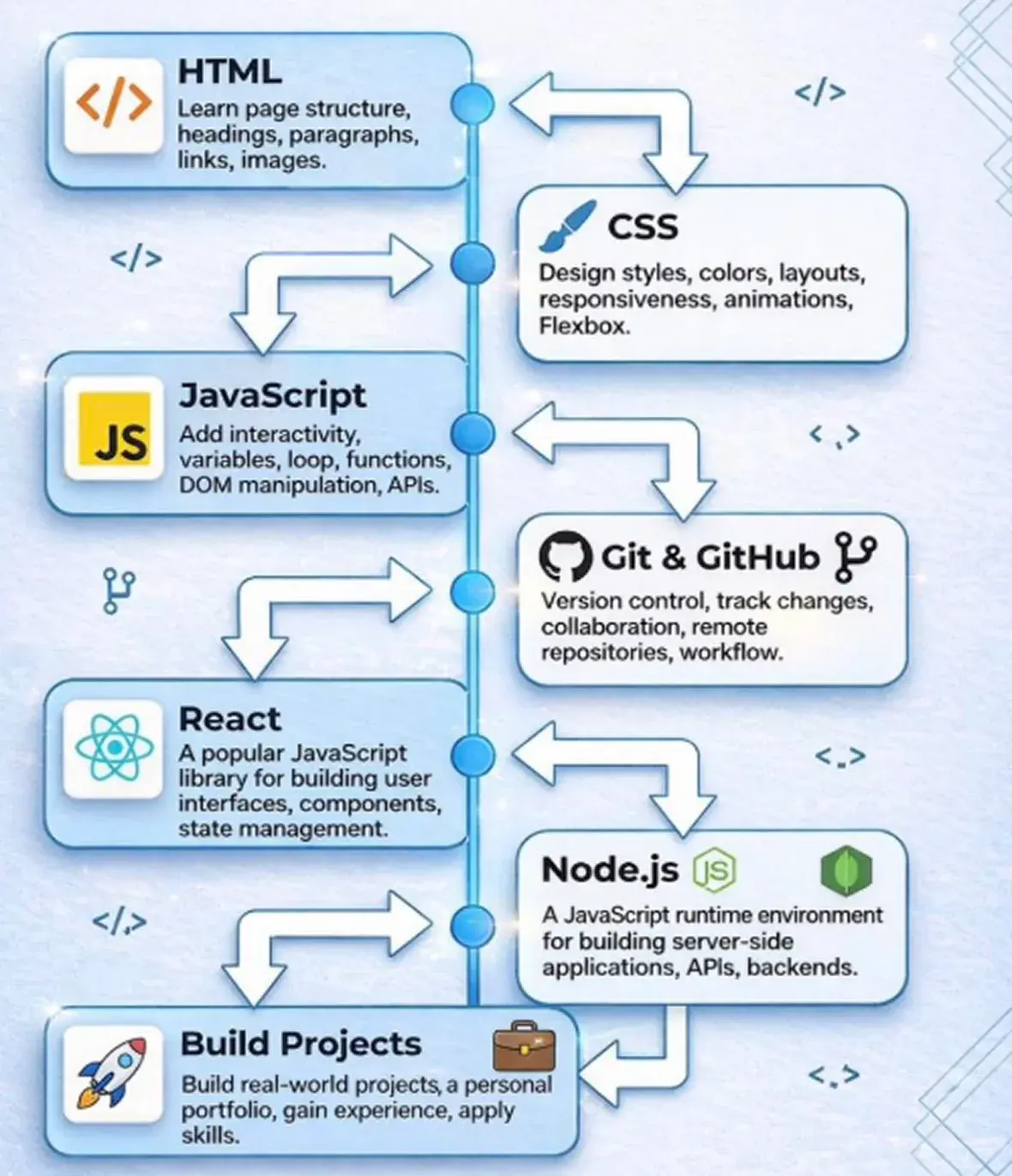
- Weeks 1-4: HTML and CSS basics
- Weeks 5-10: JavaScript fundamentals
- Weeks 11-16: Git, command line basics, responsive design
- Weeks 17-24: One front-end framework (React is a safe pick)
- Month 7+: Basic back end, APIs, databases if needed
This is not a rigid schedule. Some people move faster, some slower. The point is to not jump to frameworks before you understand the basics.
What Makes a Website Actually Work Well?
Building a site that loads is step one. Building one that users trust and stay on is different.
Performance Affects Everything
A slow website loses users fast. Google's data shows that pages taking more than three seconds to load lose over half their mobile visitors. Performance is not optional.
- Compress images before uploading
- Avoid loading unnecessary JavaScript
- Use a CDN (Content Delivery Network) to serve files faster
- Test with Google PageSpeed Insights regularly
Security Cannot Be an Afterthought
Even small websites get attacked. SQL injection, cross-site scripting, and brute-force login attempts happen to sites with ten visitors a day.
Basic security habits to build early:
- Never trust user input - always validate and sanitize on the server
- Use HTTPS (SSL certificates are free via Let's Encrypt)
- Keep software and dependencies updated
- Do not store passwords in plain text
At Frugal Testing, QA processes include security testing specifically because most web vulnerabilities come from code that was never tested under adversarial conditions.
What Is the Difference Between Web Development and Web Design?
People mix these up. They are related but different.
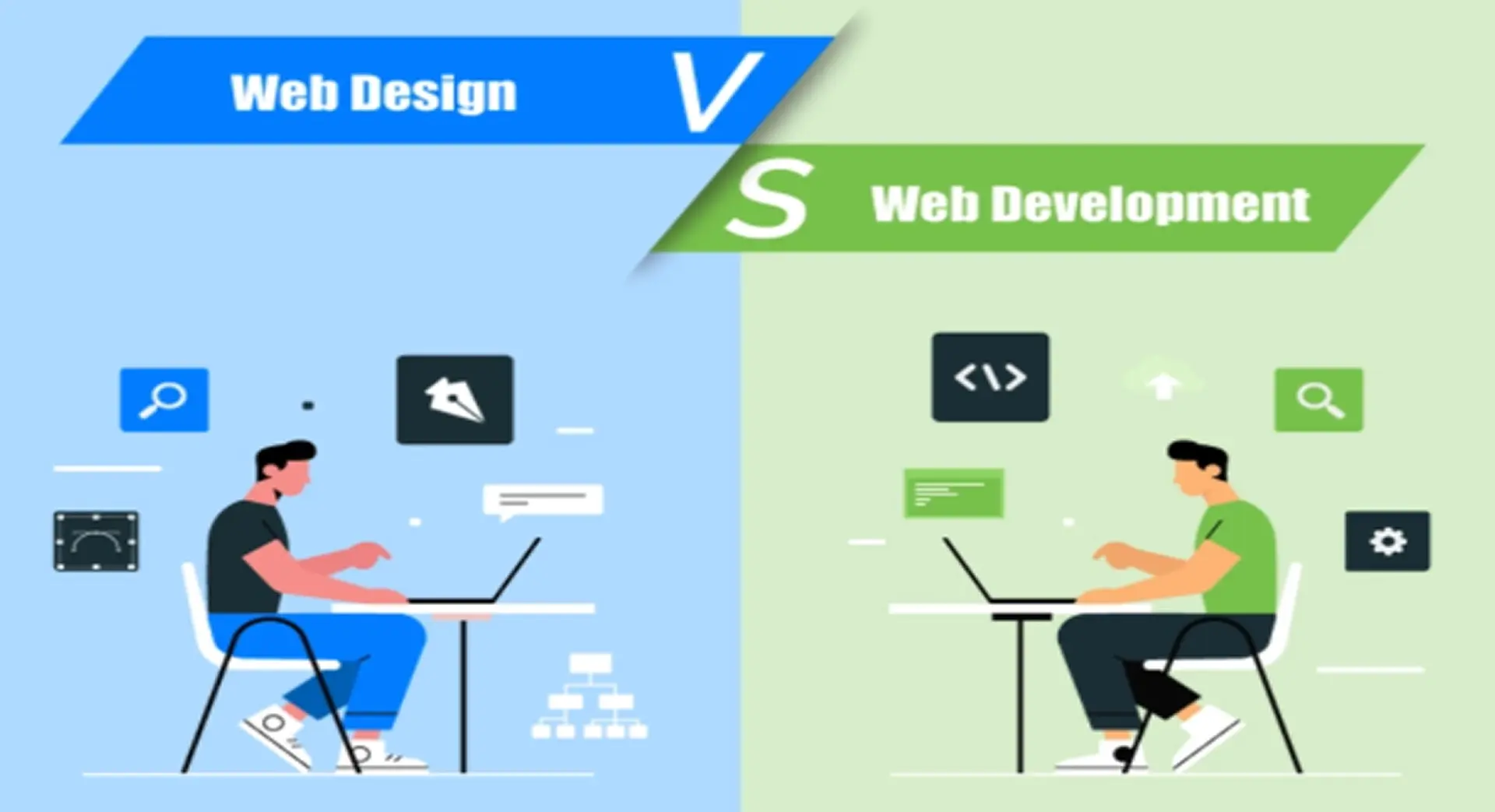
Web design is about how a website looks and feels. Designers work with layout, typography, color, and user experience (UX). Their output is usually a mockup in Figma or Adobe XD.
Web development is about building what the designer created. Developers write the code that turns a static image into a working website.
On small projects, one person does both. On larger projects, designers and developers work together. If you want to do both, learn design principles alongside your coding - things like contrast, hierarchy, and whitespace go a long way.
Is Web Development Still Worth Learning in 2026?
A fair question given how fast AI tools are moving.
The short answer: yes, but the job is changing. Tools like GitHub Copilot and Claude generate code quickly. That does not make developers obsolete - it makes developers who understand what the code does more valuable.
Someone still needs to:
- Decide what to build and why
- Review and debug AI-generated code
- Handle edge cases and performance issues
- Make architecture decisions
- Test that everything actually works
If anything, this website development intro points toward a broader truth: understanding the fundamentals matters more now, not less. Developers who know how websites are built can use AI tools intelligently. Developers who only know how to prompt AI tools are in a weaker position.
Where Should You Actually Start?
Here is a direct answer, not a long list.
If you have never written code: Open VS Code, create an HTML file, and type your first paragraph tag. Do not buy a course yet. Write ten lines first to see if you like it.
If you have written some HTML/CSS but feel stuck: Pick one JavaScript tutorial and finish it. Not ten tutorials - one.
If you know JavaScript: Build something. A to-do app, a weather widget, a portfolio site. Finished projects teach you more than unfinished courses.
If you want to work professionally: Learn Git properly, study one framework, and start building things you can show people.
This web development intro covered the full picture - what it is, how the process works, which tools matter, and how to sequence your learning. The rest is just sitting down and doing it.
Quick Reference: Web Development Terms for Beginners
Wrapping Up
This web development intro gave you the full overview: what web development is, how websites are built step by step, which tools to start with, and how to think about learning it in 2026.
The field is broad. You do not need to learn all of it. Pick a direction - front end is the right starting point for most beginners - and stay with it long enough to build real things.
If your team needs help testing web applications or building quality into your development process, bnxt.ai has worked with 200+ clients on exactly that. The fundamentals covered in this website development intro are the same ones that get tested, reviewed, and deployed in real projects every day.
People Also Ask

Q1: How long does it take to learn web development from scratch?
Most beginners can build simple websites within 3 to 4 months of consistent daily practice. Getting job-ready typically takes 9 to 12 months depending on how much time you put in each week.
Q2: Do I need a computer science degree to become a web developer?
No. Most working developers are self-taught or went through bootcamps. What matters to employers is a strong portfolio and the ability to solve real problems, not a degree.
Q3: What is the best first programming language for web development?
HTML and CSS are not technically programming languages but they are the right place to start. Once you have those down, JavaScript is the first real language that every web developer needs.
Q4: Is web development the same as web design?
They overlap but are not the same. Web design focuses on how a site looks and feels. Web development is the code that makes it work. Many solo developers handle both, but on larger teams these are separate roles.
Q5: Can I learn web development for free?
Yes. freeCodeCamp, The Odin Project, and MDN Web Docs cover everything from HTML basics to full-stack development at no cost. Paid courses are optional, not required.


.webp)
.webp)
.webp)

.webp)
.webp)



