
.png)
Today, cloud migration decisions are driven less by technology limitations and more by financial planning, cost optimization, and business strategy. Pricing models now serve as a primary driver of the total cost of ownership (TCO), as well as the initial scalability and total ROI (return on investment) of cloud solutions. As an example, organizations that migrate workloads to solutions like Amazon Web Services (AWS), Microsoft Azuce and Google Cloud must understand how the pricing model affects TCO.
Understanding Cloud Pricing Models in Cloud Computing
Pricing models in the cloud enable providers to charge customers for virtual machine usage, storage, bandwidth and other resources that are based in the cloud. Cloud pricing models differ from traditional IT infrastructure pricing models, in that they are usage-driven or dynamic; this adds a degree of flexibility but creates complexities as well.
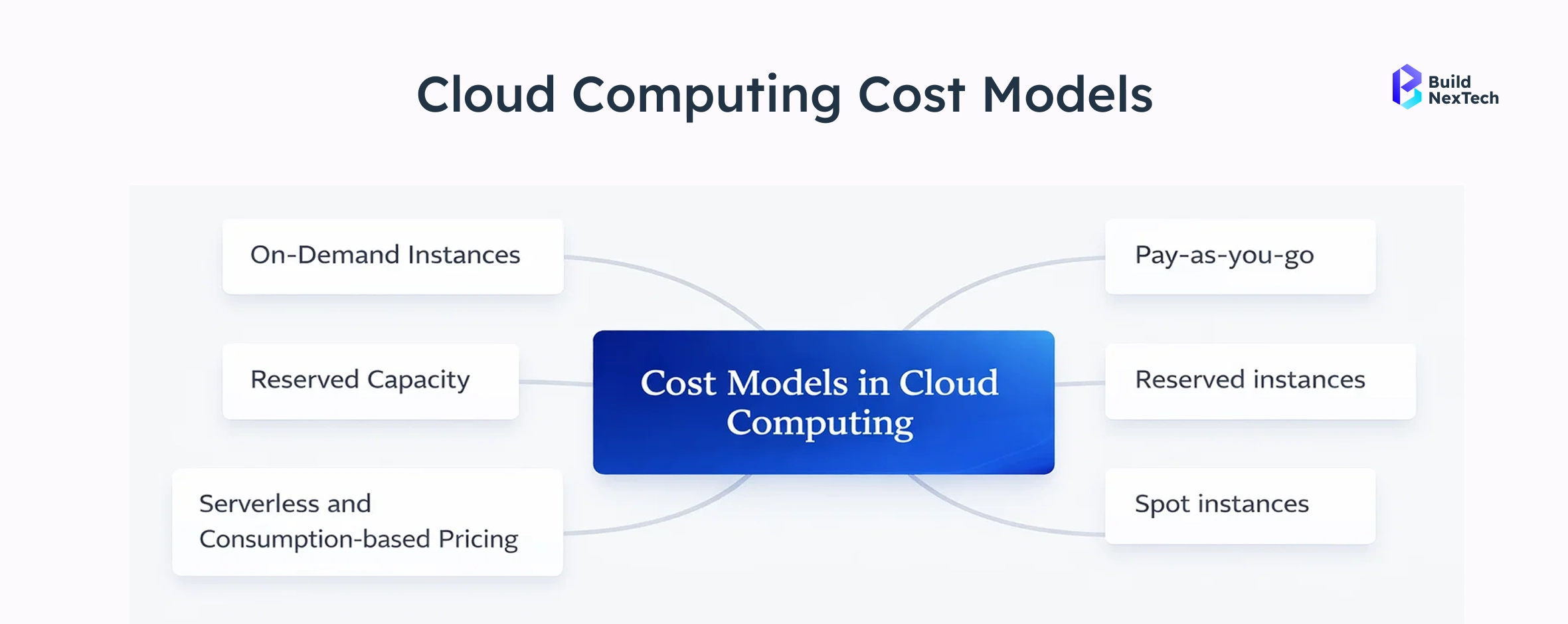
- Cloud services are billed based on resource usage, not ownership
- Pricing varies by region, Availability Zones, and cloud vendor
- Costs include compute, data storage, data transfer, and network bandwidth
How Cloud Provider Pricing Structures Work
Cloud provider pricing structures (AWS, Azure, GCP) use a pay-as-you-go model based on resource consumption (compute, storage, networking) rather than upfront capital investment. Costs are calculated via per-second or per-hour billing, utilizing models like on-demand (flexible), reserved instances (discounted commitments), or spot pricing (excess capacity).
- Core Pricing Models:
- On-Demand: Pay for capacity by the second or hour with no long-term commitment, ideal for unpredictable workloads.
- Reserved Instances (RIs)/Savings Plans: Offer significant discounts (up to 72%+) in exchange for committing to a 1–3 year term, best for stable, predictable workloads.
- Spot Pricing: Allows bidding on unused capacity at steep discounts, suitable for non-critical, interruptible tasks.
Why Pricing Models Affect Total Cost of Ownership
Pricing models directly influence long-term cloud costs, not just monthly bills. Many organizations underestimate indirect costs such as underutilized resources, over-provisioned virtual machines, or inefficient resource allocation.
How Different Pricing Models Affect TCO:
- Subscription (SaaS) vs. Perpetual License: Subscriptions often have lower initial costs but higher long-term, ongoing expenses, whereas perpetual licenses require high upfront investment but potentially lower, sporadic maintenance fees.
- Usage-Based (Consumption) vs. Fixed Pricing: Usage-based models can lower TCO for low-usage scenarios but risk high, unpredictable costs during spikes, unlike fixed-rate models that offer predictable, often higher, baseline costs.
- Cloud-Based vs. On-Premises: Cloud solutions generally reduce TCO by eliminating the need for dedicated IT staff, physical hardware maintenance, and complex upgrades associated with traditional on-premises, one-time purchase models.
- Hidden Vendor Costs: Pricing models that appear lower upfront may carry higher costs for training, support, or data egress fees over the product's lifespan.
What Is Pay-As-You-Go Pricing in Cloud Services?
Pay-As-You-Go pricing, also called on-demand pricing, is theWhy Pricing Models Affect Tota most flexible cloud pricing model. Organizations pay only for the resources they consume, without long-term commitments.
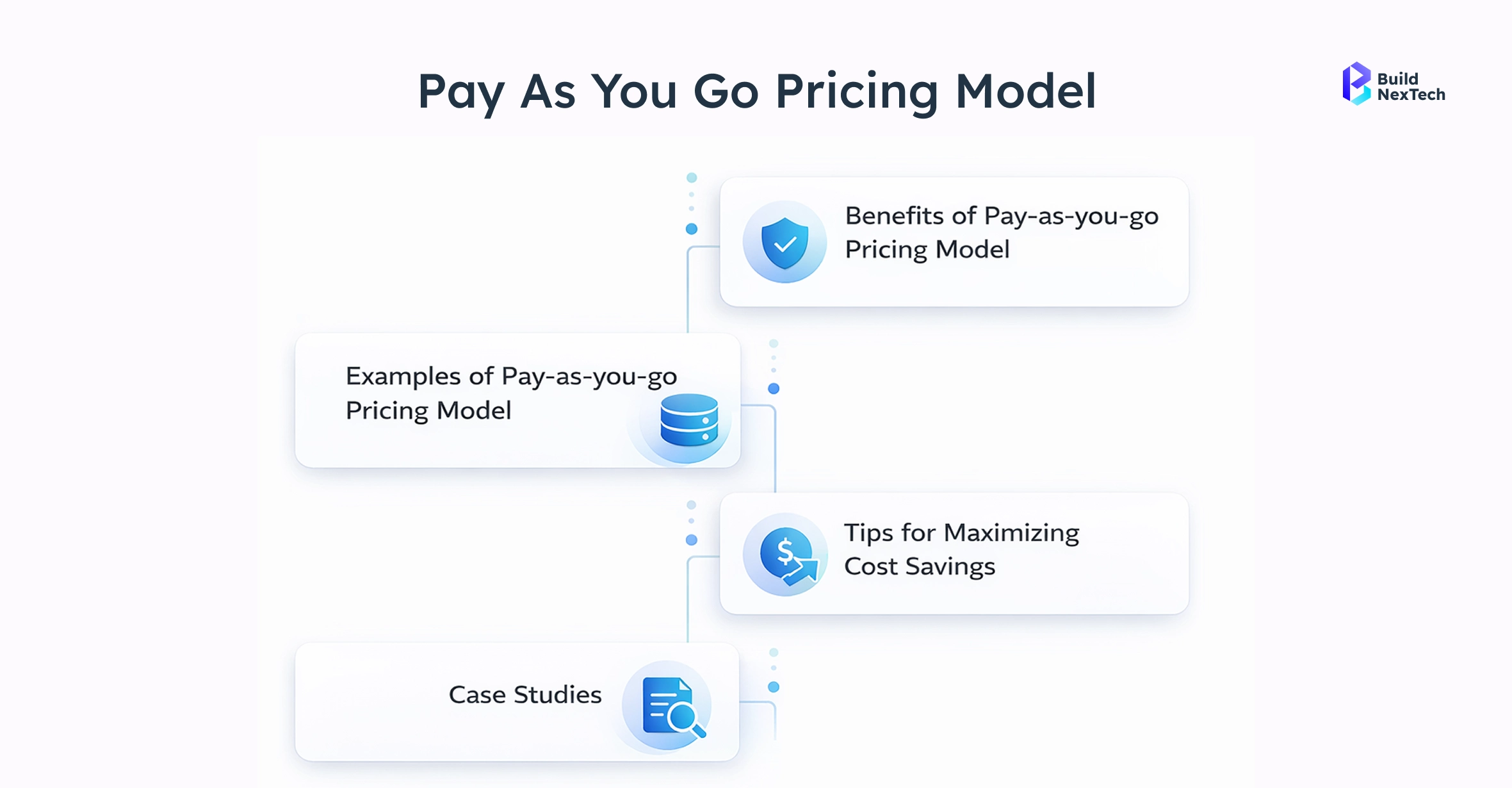
- No upfront cost or reserved capacity
- Billing is typically per second or per hour
- Common for On-Demand Instances across providers
This model is often the first step for companies beginning cloud migration. It allows experimentation without financial lock-in, especially for development teams testing applications or proof-of-concept environments.
How On-Demand Pricing Works in Cloud Computing
When you launch a virtual server or store data in the cloud, the cloud provider monitors your resource usage by the second, minute, or hour. At the end of your billing cycle, your consumption is tallied, and you’re charged based on actual usage. This on-demand pricing allows you to scale resources up or down instantly, without long-term contracts or large upfront commitments.
Across major providers, the process is consistent: provision virtual machines or cloud services when needed, release them when idle, and pay only for the time used. For instance, AWS bills per second (minimum 60 seconds) for EC2 compute instances, stopping charges immediately when you terminate an instance. Microsoft Azure charges per second or minute depending on the service, with VMs accruing costs only while running. Similarly, Google Cloud bills per second after a 1-minute minimum for most compute services, offering flexibility and cost optimization for dynamic workloads.
Limitations of Pay-As-You-Go Pricing
Despite its flexibility, on-demand pricing is rarely the most cost-effective long-term option. As workloads stabilize, costs can exceed those of reserved models.
- Higher cost per hour compared to Reserved Instances
- Limited discounts or volume benefits
- Risk of unnoticed underutilized resources
Reserved Instances Explained for Long-Term Cost Savings
Reserved Instances (RIs) provide discounted pricing in exchange for a commitment to use specific cloud resources over time. They are a cornerstone of cloud cost optimization strategies.
- Commitments typically last 1 or 3 years
- Significant discounts compared to on-demand pricing
- Available across Amazon Web Services, Azure, and Google Cloud
For enterprises with predictable workloads, Reserved Instances offer financial stability and lower cost per transaction.
Types of Reserved Instances and Savings Plans
Types of Reserved Instances (RIs)
- Standard RIs: Provide the highest discount (up to 72-75%) for steady-state workloads, but have limited flexibility; they apply to specific instance families within a region.
- Convertible RIs: Offer moderate discounts (up to 54-66%) with higher flexibility, allowing exchanges for different instance families, operating systems, or tenancies.
- Scheduled RIs: Available for specific, recurring time windows (e.g., daily/weekly), offering moderate flexibility.
- Compute Savings Plans: Provide the most flexibility, automatically applying to EC2 instance usage regardless of family, region, OS, or tenancy, as well as Fargate and Lambda, with savings up to 66%.
- EC2 Instance Savings Plans: Offer lower, more specific commitment-based savings (up to 72%) on EC2 instance usage within a designated instance family in a chosen region.
Risks of Reserved Pricing Models
While Reserved Instances offer cost savings, they introduce financial risk if workloads change unexpectedly.
- Over-commitment leads to unused reserved capacity
- Limited flexibility for architectural changes
- Requires accurate cost modeling and forecasting
BuildNexTech mitigates these risks by using historical usage data, cost estimation tools, and phased reservation strategies.
Spot Pricing and Spot Instances in Cloud Computing
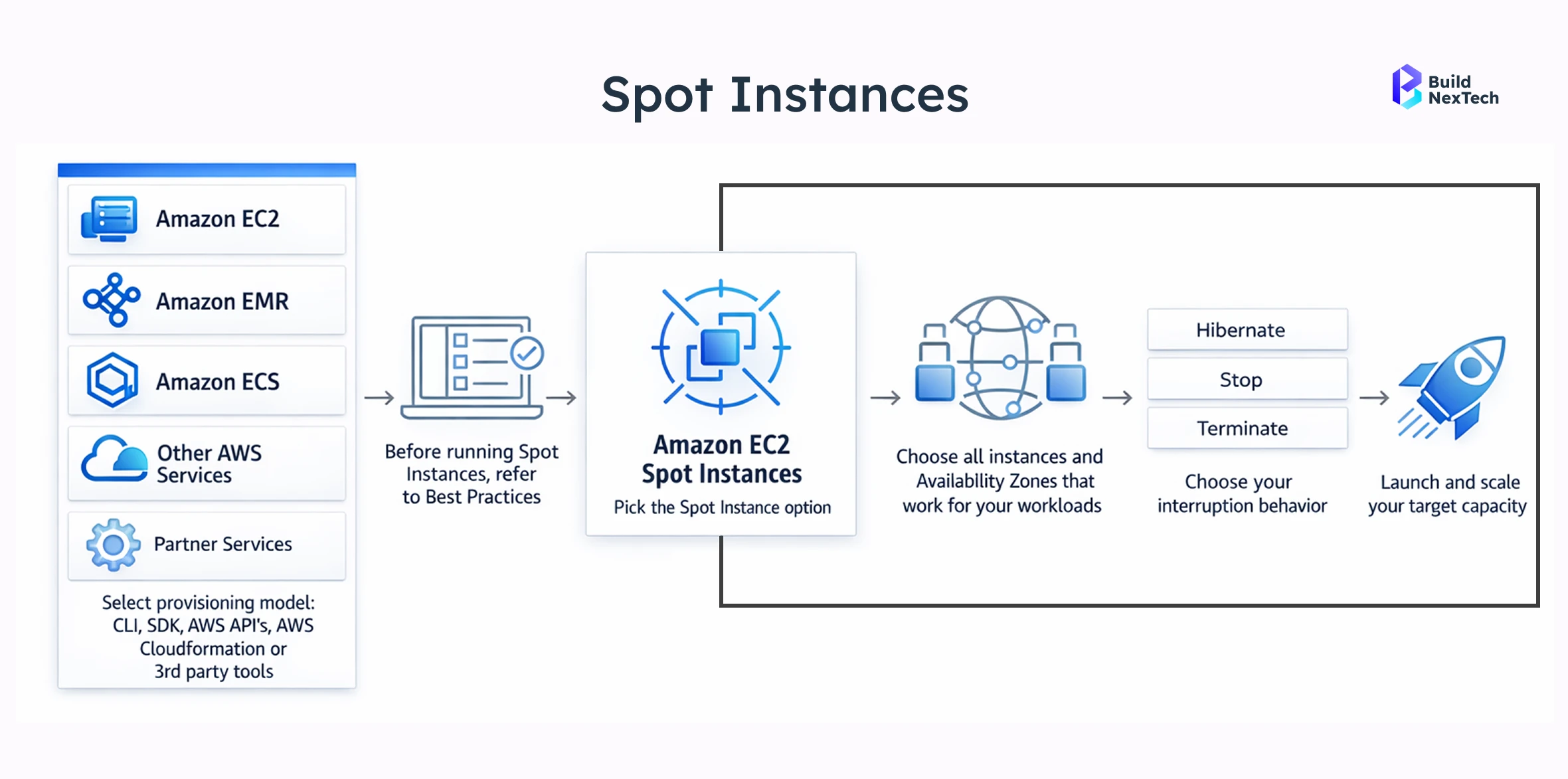
Spot Pricing allows organizations to purchase unused cloud capacity at market-driven prices. These Spot Instances can deliver extreme cost savings.
- Discounts can reach up to 90%
- Pricing fluctuates based on supply and demand
- Instances can be interrupted with short notice
This model is powerful but requires careful workload design.
How Spot Instances and Preemptible Instances Work
Spot capacity is reclaimed by cloud providers when demand increases. AWS Spot Instances, Azure Spot VMs, and Google preemptible instances all follow this principle.
- Instances receive interruption notices
- Workloads must support restart or checkpointing
- Spot Fleets and EC2 Fleet help manage capacity
Organizations using automation capabilities and fault-tolerant architectures benefit most from this pricing model.
Best Use Cases for Spot Pricing
Spot pricing is ideal for workloads that tolerate interruption without data loss.
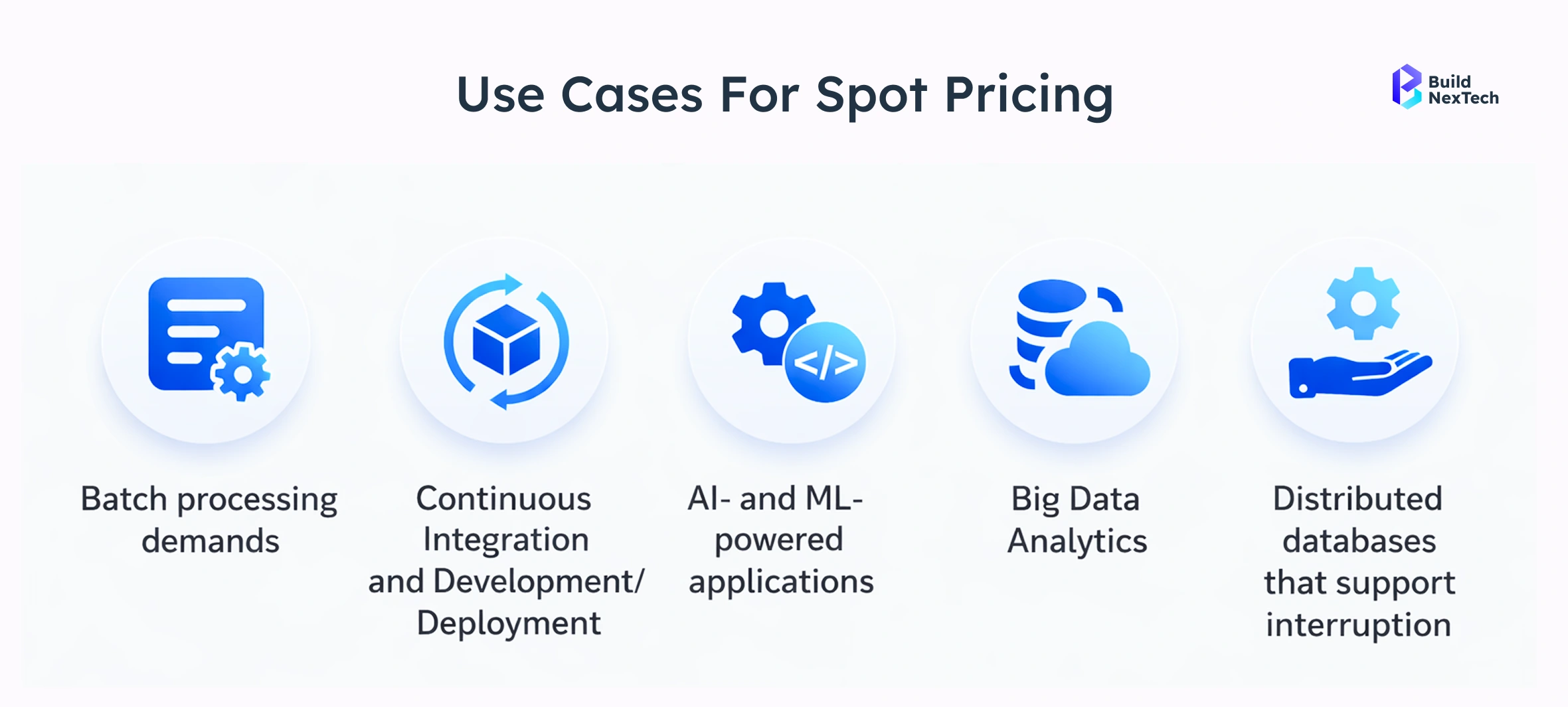
- Batch processing and data analytics
- CI/CD pipelines and testing jobs
- Machine learning training workloads
- Cloud disaster recovery simulations
When used correctly, Spot Instances significantly reduce cloud costs without impacting business outcomes.
Managing Interruption Risk in Spot Pricing
Effective risk management is critical for Spot Pricing success.
- Use Auto Scaling Groups with mixed instances
- Implement checkpointing systems
- Distribute workloads across Availability Zones
These strategies ensure resilience while maximizing cost savings.
Comparing Pay-As-You-Go vs Reserved Instances vs Spot Pricing
Cost, Flexibility, and Reliability Comparison
Pricing models differ significantly across key dimensions.
- Cost: Spot < Reserved < On-Demand
- Flexibility: On-Demand > Spot > Reserved
- Reliability: Reserved > On-Demand > Spot
Choosing the Right Pricing Model by Workload Type
Workload behavior should guide pricing selection.
- Stable databases → Reserved Instances
- Variable traffic apps → On-Demand Instances
- Batch jobs → Spot Instances
Cloud Cost Optimization Strategies That Scale
- Rightsize Instances & Storage: Continuously analyze CPU/RAM usage to downsize over-provisioned VMs. Delete orphaned snapshots, volumes, and unattached disks to eliminate "storage sprawl".
- Automated Scheduling & Autoscaling: Use automation to turn off non-production (dev/test) environments during off-hours. Implement auto-scaling groups to match capacity with real-time demand rather than peak loads.
- Spot & Reserved Instances (RI) / Savings Plans: Utilize Spot Instances for fault-tolerant, non-critical workloads for up to 90% savings. For predictable, steady-state workloads, lock in discounted rates with Reserved Instances or Savings Plans.
- Adopt FinOps & Accountability: Implement a FinOps framework to align engineering, finance, and business teams, fostering a cost-conscious culture. Use tags to allocate costs to specific teams, projects, or applications.
- Modernize Architecture (Serverless & Containers): Transition to serverless computing (e.g., AWS Lambda) to pay only for exact execution time, eliminating idle server costs. Use Kubernetes bin-packing to maximize node utilization.
Using Cloud Cost Management Tools Effectively
Implement Comprehensive Tagging
• Tag resources by department, project, or environment for visibility.
Enable Real-Time Monitoring & Anomalies
• Use automated tools for monitoring usage and receive alerts for spending spikes.
Set Actionable Budgets
• Create tiered alerts for budget thresholds to manage costs.
Continuous Optimization (Rightsizing)
• Analyze and terminate idle or over-provisioned resources.
Automate Cost Governance
• Use automated policies for managing and right-sizing resources.
Centralize Multi-Cloud View
• Utilize tools for a unified view of cloud, SaaS, and AI costs.
Growth of Hybrid and Multi-Cloud Pricing Strategies
Hybrid cloud market growth reflects the need for flexibility and compliance.
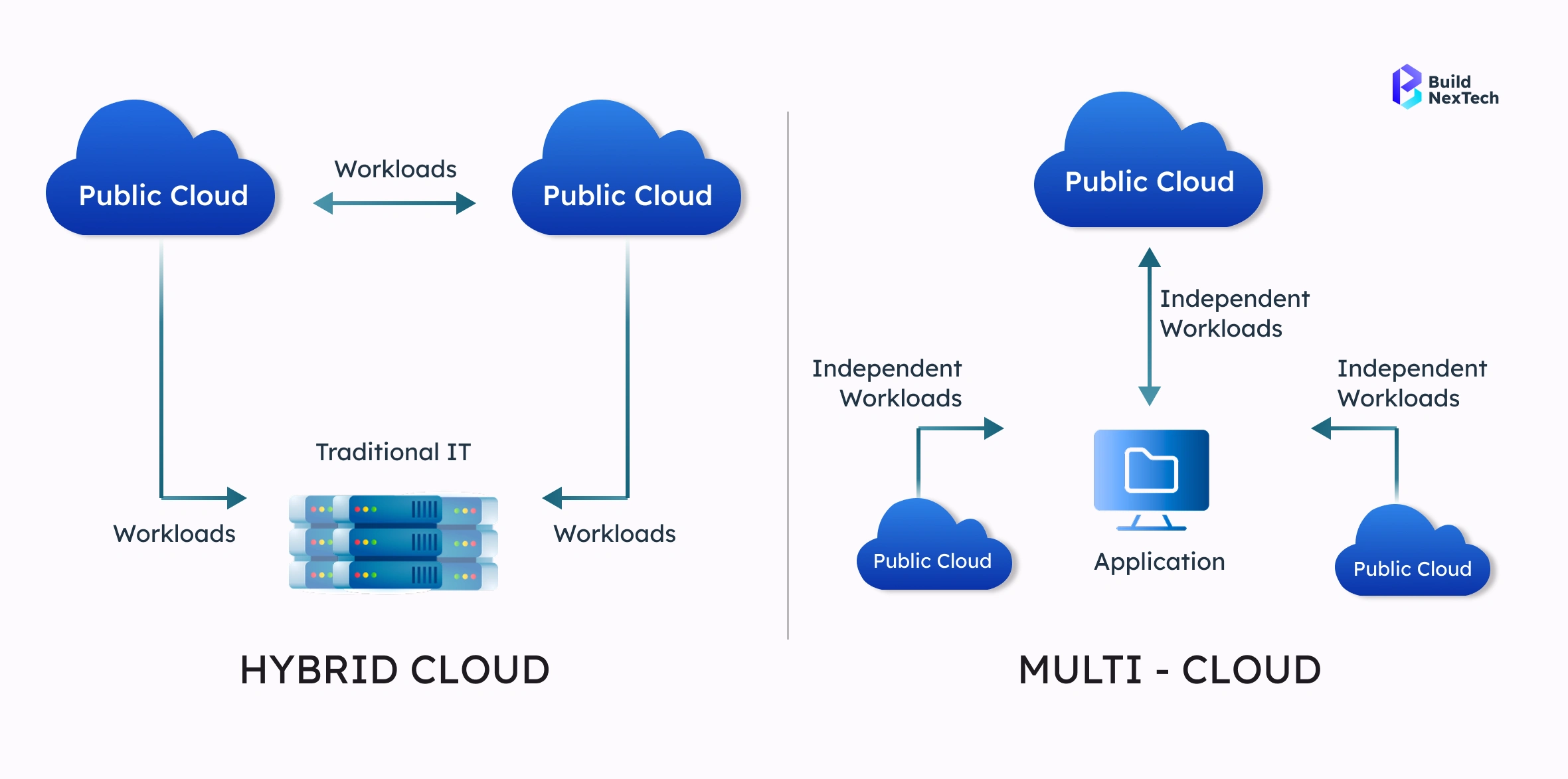
- On-premises + cloud integration
- Cross-cloud cost optimization
- Vendor negotiation leverage
Pricing strategies now span multiple cloud vendors and regions.
Rise of FinOps and Usage-Based Optimization
FinOps practices bridge finance, engineering, and operations.
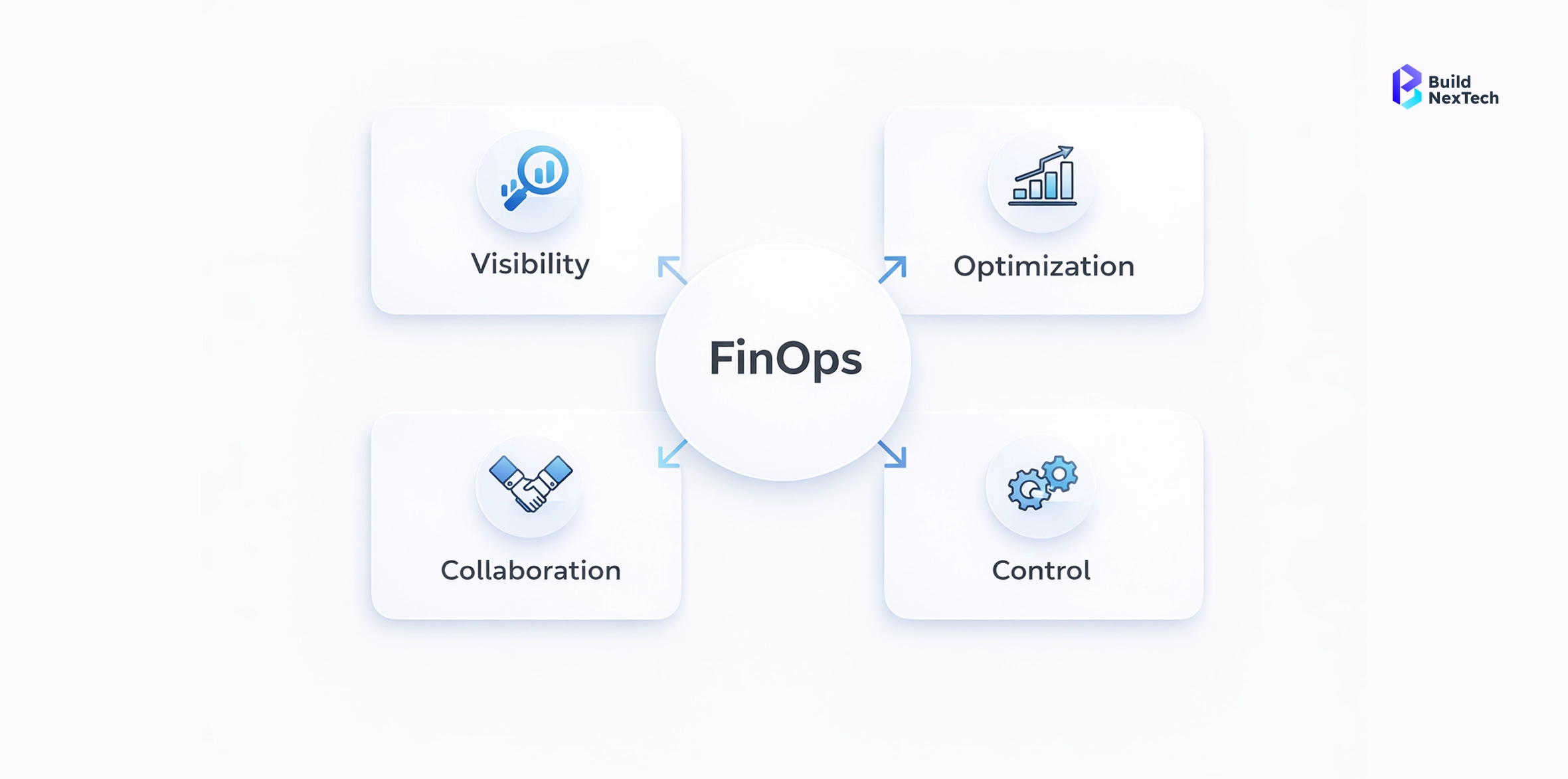
- Supported by the FinOps Foundation
- Tools like Amnic's FinOps OS
- Focus on cost per user and cost per transaction
FinOps enables data-driven cloud financial management.
Choosing the Right Cloud Pricing Model for Your Migration Strategy
Pricing decisions must align with migration goals and business context.
- Assess workload predictability
- Evaluate risk tolerance
- Align with growth strategy
BuildNexTech tailors pricing strategies for each migration journey.
Pricing Model Selection for Startups vs Enterprises
Different organizations require different approaches.
- Startups favor flexibility and on-demand pricing
- Enterprises prioritize reserved capacity and discounts
- Regulated industries require compliance-aware models
Context matters more than cost alone.
Conclusion on Cloud Migration Pricing Models
Choosing the right cloud pricing model affects cost efficiency, flexibility, and reliability. Pay-As-You-Go is flexible for unpredictable workloads, Reserved Instances save money for stable apps, and Spot Pricing is cheap for interruptible tasks. A hybrid approach optimizes spending and reduces costs. Understanding workloads and aligning pricing with business goals aids cost-efficient cloud migration or expansion.
At BuildNexTech, we work closely with businesses to assess workloads, build tailored cloud pricing strategies, and implement practical cost-optimization best practices. By choosing the right balance of Pay-As-You-Go, Reserved Instances, and Spot Pricing, your cloud infrastructure can stay efficient, scalable, and future-ready.
Planning your cloud move? Let BuildNexTech help you create a cost-optimized migration strategy that makes financial and operational sense from day one
People Also Ask

1. What are the different cloud pricing models used during cloud migration?
The main models are Pay-As-You-Go (on-demand), Reserved Instances, and Spot Instances, each offering different flexibility, cost, and reliability options. Choosing depends on workload predictability and budget goals.
2. Which cloud pricing model is the most cost-effective for long-term workloads?
Reserved Instances are the most cost-effective for stable, long-running workloads, offering significant discounts compared to on-demand pricing.
3. When should I use Pay-As-You-Go pricing instead of Reserved Instances?
Use Pay-As-You-Go for short-term, variable, or unpredictable workloads like testing, development, or seasonal traffic.
4. Are Spot Instances safe to use for production workloads?
Spot Instances are best for interruptible workloads like batch jobs or analytics; they are not recommended for critical production applications due to potential interruptions.
5. How can I reduce cloud costs after migrating to the cloud?
Optimize costs by rightsizing resources, eliminating underutilized instances, using Reserved or Spot pricing strategically, and leveraging cloud cost management tools.


.webp)
.webp)
.webp)

.webp)
.webp)



