
.png)
Choosing the right cloud platform directly impacts startup burn, deployment speed, and scalability. This AWS vs DigitalOcean comparison gives founders a clear view of pricing, performance, and long-term infrastructure trade-offs.
For most early-stage startups, DigitalOcean offers faster deployment, predictable pricing, and lower operational overhead. AWS becomes the stronger choice when advanced services, compliance, or enterprise-scale architecture become critical.
This AWS vs DigitalOcean comparison helps startups choose the best cloud platform based on pricing, performance, and scalability.
AWS vs DigitalOcean: Quick Answer
Choose DigitalOcean → best for early-stage startups, low cost, easy setup
Choose AWS → best for scaling, enterprise needs, and advanced services
Best for early-stage startups: DigitalOcean
Best for enterprise scalability: AWS
Best for predictable pricing: DigitalOcean
Best for AI, analytics, and compliance: - AWS
Best for faster MVP deployment: - DigitalOcean
AWS vs DigitalOcean Comparison (Features, Pricing, Key Differences)
AWS isn't a cloud platform in the traditional sense - it's closer to an entire cloud ecosystem. Over 200 services, spanning compute, storage, networking, AI, IoT, satellite ground stations, quantum computing sandboxes, and things you'll likely never touch. That depth is exactly why enterprises love it. Netflix, Airbnb, NASA, and half the Fortune 500 run on AWS, and the reliability record backs that trust up. It also holds over 30% of the global cloud infrastructure market - a number that's stayed consistent for years because the platform genuinely delivers at scale.
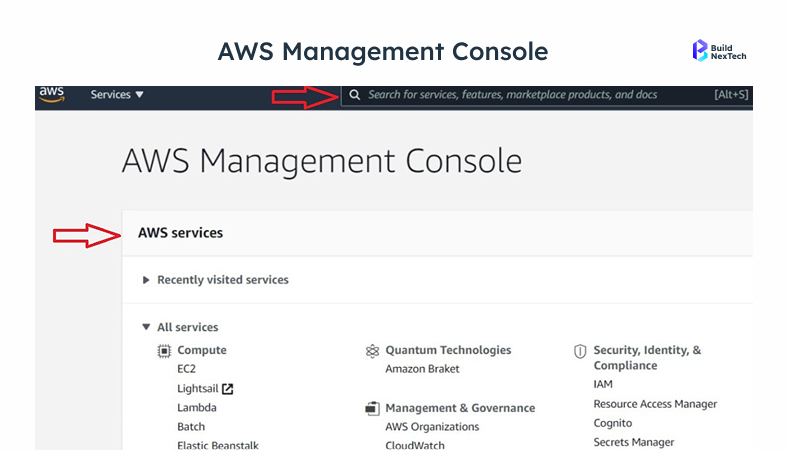
The problem is that AWS wasn't designed with a two-person startup in mind. The console feels like it was built for operations teams managing hundreds of services simultaneously. Getting a simple web application live often means touching EC2, VPC, security groups, IAM roles, and key pairs before your app is even reachable from a browser. That's not a bug - it's the result of giving you fine-grained control over everything. But it comes with a real cost in time and cognitive overhead.
DigitalOcean: Designed to Stay Out of Your Way
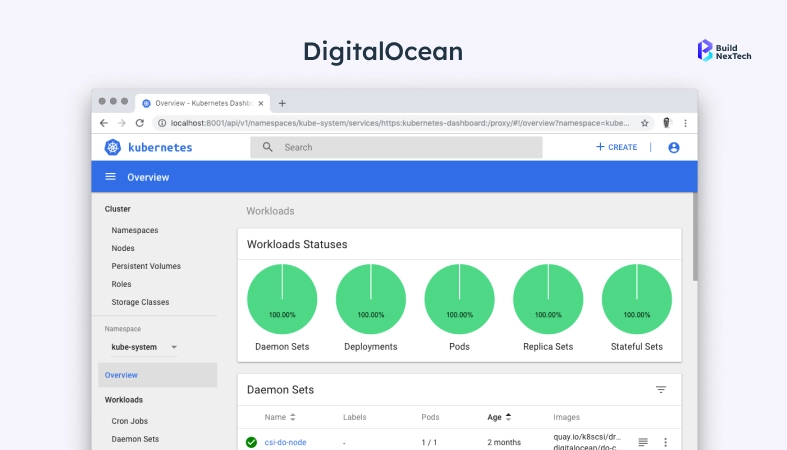
DigitalOcean launched in 2011 with a thesis that most developers don't need 200 services. Today it's trusted by 600,000+ developers and businesses worldwide. They need a reliable server, a managed database, and a way to deploy code without becoming a cloud architect first. That philosophy still shapes everything they build. Their lineup covers virtual machines (Droplets), managed databases across PostgreSQL, MySQL, MongoDB and Redis, a managed Kubernetes service called DOKS, object storage through Spaces, and an App Platform that deploys directly from GitHub. That's essentially it - and it's enough for the vast majority of startup use cases.
The product line hasn't grown as aggressively as AWS, but it has matured. What DigitalOcean offers today is polished, well-documented, and genuinely reliable. Their uptime track record is solid, their support documentation is some of the best in the industry, and their data centres span North America, Europe, Asia Pacific, and - importantly for Indian founders - Bengaluru and Singapore.
AWS gives you every tool imaginable. DigitalOcean gives you the ones developers actually reach for and stays out of the way while you use them.
At a Glance: AWS vs DigitalOcean Pricing Comparison for Startups
The real distinction isn't features or even price - it's philosophy. AWS was built to give infrastructure teams maximum control over every layer of the stack. DigitalOcean was built to make that stack invisible so product teams can focus on the application. Both approaches are valid. The question is which one fits where your team is today, not where you hope to be in three years.
AWS vs DigitalOcean Pricing Comparison: What You'll Actually Pay Each Month
Table 1 - Pricing comparison. AWS figures exclude the free tier. Costs approximate as of early 2026.
Why DigitalOcean's Flat Pricing Matters More Than It Looks
Cloud billing surprises are almost a startup rite of passage. Someone leaves a large instance running over a long weekend, enables a data transfer-heavy feature without checking egress costs, or spins up a test environment that never gets torn down. On AWS, those moments show up as line items you didn't see coming. On DigitalOcean, the flat monthly pricing model means the bill at the end of the month looks almost exactly like the sum of the services you know you turned on.
A basic Droplet is $6 per month. Managed PostgreSQL starts at $15. Spaces gives you 250GB of object storage with bandwidth included for $5. Managed Kubernetes on DOKS starts at $12 per node with no separate control plane charge. When you're pre-revenue and tracking every expense, this isn't just convenient - it actively changes how you make infrastructure decisions. You're not afraid to try things because you know what they'll cost.
H3-How AWS Pricing Actually Works — And Where It Gets Complicated
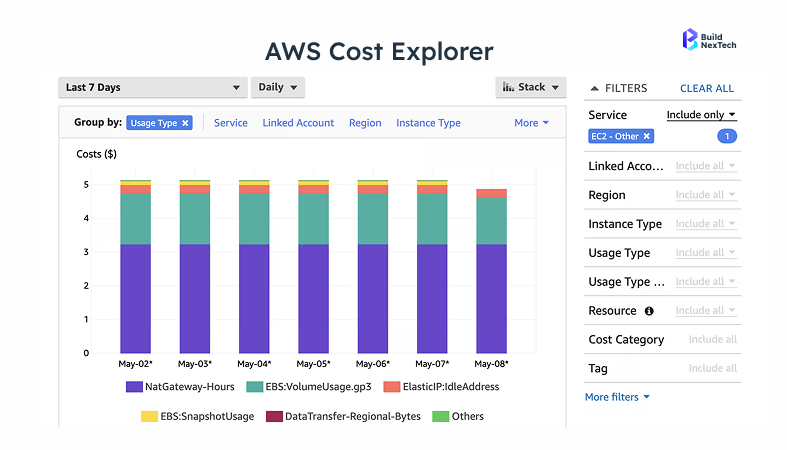
AWS charges per hour of compute, per gigabyte of storage, per request type, and for every gigabyte of data that leaves their network. RDS adds separate charges for storage and I/O on top of the instance cost. CloudFront, NAT Gateways, Elastic Load Balancers, and data transfer between availability zones all bill independently. Within a few months of running a real production workload, most teams are using AWS Cost Explorer just to understand their own bill - and that's before you start actually optimising it.
The Hidden Cost Nobody Talks About
Beyond the actual bill, there's the cost of time. Managing AWS spend is a legitimate part-time job at even modest scale. Teams dealing with unexpected bills often spend hours tracing which service caused the spike, setting up billing alerts that still can't catch everything, and retrofitting cost optimisation after the fact. DigitalOcean isn't free - nothing is - but once your Droplets are running, you're rarely thinking about the bill until you decide to change something. That's time that goes back into the product.
AWS vs DigitalOcean Developer Experience Comparison
Getting Your First App Live on Each Platform
On DigitalOcean, launching a Droplet is genuinely a 90-second task. Log in, click 'Create', pick a size, pick a region, add your SSH key, and the machine is running. App Platform takes that even further - connect a GitHub repository, choose a plan, and your application deploys automatically on every push. There's no networking setup, no security group configuration, no guessing about which IAM policy you forgot. Developers new to cloud infrastructure regularly have something live within their first hour. That's not marketing - it's what the platform actually feels like.
AWS works differently. Before an EC2 instance is reachable from the public internet, you've usually touched the VPC configuration, set up security groups, generated key pairs, and made decisions about subnets that feel premature when all you want is a running application. Engineers who know AWS navigate this quickly. Everyone else loses hours on setup before writing a single line of application code. AWS Lightsail exists to lower this barrier, but it's a side product - not where the documentation leads you and not where most real workloads end up.
Documentation and Learning Curve Differences
DigitalOcean's tutorials deserve their reputation. They're long, they explain the reasoning behind each step, and they're written as if the author genuinely assumed you were new to the topic. If you've ever worked through their guides on setting up a production PostgreSQL cluster, configuring Nginx, or getting DOKS running for the first time - you know what I mean. The community forum reinforces this with years of practical answers to real problems.
AWS documentation covers everything but is written for people who already know the service. Finding the right page for a beginner task usually requires knowing the AWS-specific name for what you want first. The community is the largest in cloud infrastructure, which means answers exist for almost everything on Stack Overflow and Reddit - but outdated responses are common, and the sheer volume can make it hard to find the right answer quickly.
CI/CD and Modern Deployment Workflows
Modern deployment workflows work on both platforms, but the path to getting there looks very different. DigitalOcean's App Platform natively connects to GitHub, GitLab, and Bitbucket with automatic deployments on push - no pipeline configuration required. For teams that want more control, Droplets pair cleanly with GitHub Actions or any standard CI tool. The experience feels close to how developers already work.
AWS has CodePipeline, CodeBuild, and CodeDeploy, a full suite of CI/CD services that are genuinely powerful once configured. The trade-off is that "once configured" is doing a lot of work in that sentence. Setting up an AWS-native deployment pipeline from scratch takes meaningful time, and the IAM permissions involved are notoriously fiddly. Most teams end up using GitHub Actions alongside AWS anyway, treating the AWS pipeline tools as optional.
Table 2 - Developer experience by dimension.
AWS vs DigitalOcean Scalability and Performance Comparison
How Far DigitalOcean Can Realistically Take You
The concern I hear most often from founders evaluating DigitalOcean is some version of: "But will it scale?" The honest answer is that it scales further than most startups need before they're well-resourced enough to handle a migration. Multi-million monthly active user applications run on DigitalOcean without issue. Their managed Kubernetes service handles production container workloads at real scale. Managed databases support thousands of concurrent connections. Droplets scale vertically up to 160GB RAM and 32 vCPUs, which is a lot more headroom than most product teams will ever fill.
For startups targeting India or Southeast Asia, the Bengaluru data centre is a real advantage. Latency from DigitalOcean, Bengaluru Droplet to users in South India is typically competitive with AWS Mumbai - worth actually testing for your workload rather than assuming one way.
Where DigitalOcean Starts to Show Its Limits
There are genuine gaps. If you're building a product that needs real-time ML inference at volume, DigitalOcean doesn't have a managed equivalent to SageMaker. If you need petabyte-scale data warehousing, there's no Redshift equivalent. Complex active-active multi-region architectures with automatic failover are harder to build on DigitalOcean's current toolset. And if you're in a regulated industry that requires HIPAA Business Associate Agreements or FedRAMP authorisation, DigitalOcean's compliance coverage won't get you there - you'll need AWS.
What AWS Infrastructure Actually Looks Like at the Top End
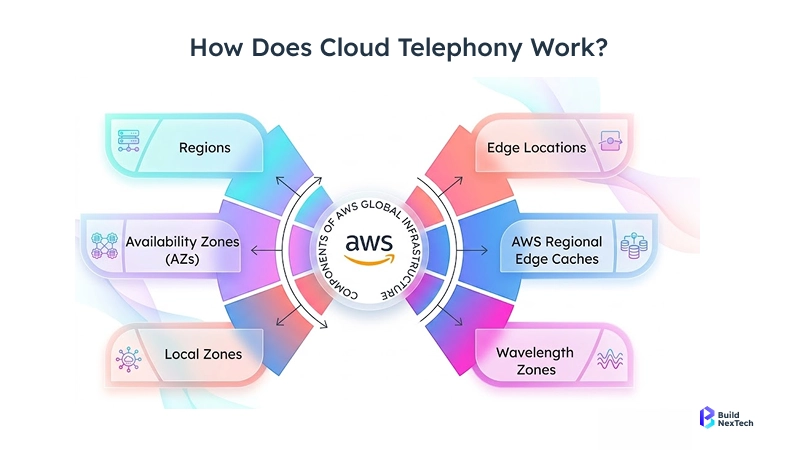
AWS has essentially no ceiling. Over 30 global regions, 96-plus availability zones, auto-scaling that handles traffic spikes of virtually any size, and a compliance portfolio that includes HIPAA, PCI DSS, FedRAMP, SOC 2, ISO 27001, and dozens more. The infrastructure that powers AWS is the same that handles Amazon's own peak traffic - Black Friday and Prime Day - and it doesn't flinch.
Beyond raw scale, AWS offers services that simply don't exist on other platforms. SageMaker for end-to-end ML workflows. Kinesis for real-time data streaming. Redshift for petabyte-scale analytics. Outposts for hybrid cloud deployments. If your product roadmap leads into any of these territories and you know that from day one, building on AWS from the start saves you a painful migration later. For most startups, though, that kind of specialisation is years away from mattering.
AWS vs DigitalOcean: Security, Support, and Compliance
The case for Starting on DigitalOcean
If your team is small - one to five engineers who are mostly focused on building the product - DigitalOcean is the more honest choice for where you are. You'll spend less time setting up infrastructure and more time building features. Your bills will be predictable and readable. Your developers will be able to focus on application code rather than cloud configuration. And you'll have enough headroom to grow to a point where, if you do eventually need to move to AWS, that migration is something you do from a position of stability rather than crisis.
This is especially true for teams based in or targeting India. DigitalOcean's Bengaluru data centre gives you solid local latency at a price point that makes a real difference when you're pre-revenue. AWS Mumbai offers more services, but at a cost structure and complexity level that early-stage teams often find hard to justify. If DigitalOcean's pricing is still too high for your stage, Hetzner offers even cheaper compute - though with fewer managed services and more limited geographic coverage than either platform here.
The case for Starting on AWS
If you already have an engineer on the team who knows AWS well, starting there removes a lot of the friction that makes it hard for newcomers. The learning curve is steep, but if someone's already climbed it, you get the depth without the pain. Similarly, if your product is in a regulated industry - healthcare, fintech, legal tech, or anything with enterprise contracts that specify cloud vendors - you often don't get to choose. AWS is the default requirement for those conversations, and starting there means you're not retrofitting compliance onto a DigitalOcean setup later.
If your product roadmap has ML or large-scale data processing baked in from the start, AWS gives you access to SageMaker, Redshift, Kinesis, and Glue without requiring a future migration when you need them. And if you've already raised significant funding and have the runway to invest in proper infrastructure from day one, AWS's long-term cost structure - with reserved instances and savings plans - can be more economical than DigitalOcean at sustained high usage.
Table 3 - Decision framework based on real startup variables.
Most early-stage startups are better off starting on DigitalOcean. The simpler setup, lower cost, and predictable billing create space to focus on the product. Move to AWS when the actual requirements of your business genuinely demand it - not because someone said it's what serious companies use.
Migration Paths If You Eventually Outgrow DigitalOcean
The migration concern is real but manageable with a little foresight. A few decisions made early can make moving much easier if the day comes. Keep your application stateless where possible - use sessions in Redis or files in object storage rather than on the server itself. Use managed databases rather than self-hosted ones, since those are easier to migrate with standard dump-and-restore. Containerise early with Docker, even if you're not using Kubernetes yet, because containers move between cloud providers with minimal friction. And write your infrastructure configuration as code from day one, whether that's Terraform, Pulumi, or even just documented shell scripts.
H3-Best Cloud Platform By Use Case:
Common Mistakes Startups Make When Choosing Cloud Platforms
1. Choosing AWS too early The brand name feels safe. But before you have DevOps bandwidth, AWS complexity costs you weeks of engineering time you can't get back.
2. Ignoring pricing complexity Egress fees, NAT gateway charges, and per-request billing add up fast. Always model your expected bill before committing.
3. Overengineering infrastructure You don't need multi-region failover on day one. Start simple. Scale when the problem is real, not imagined.
H3-AWS vs DigitalOcean Summary for Startups
- Best for beginners → DigitalOcean
- Best for scaling → AWS
- Cheapest option → DigitalOcean
- Most powerful → AWS
- Best for SaaS MVP → DigitalOcean
AWS vs DigitalOcean: Final Verdict for Startups
Choose DigitalOcean if:
→ You are early-stage with 0-10 engineers
→ You want predictable flat-rate pricing
→ You need fast deployment with minimal ops overhead
→ You are targeting India or Southeast Asia
Choose AWS If:Choose
→ Your product needs AI/ML or data pipelines from day one
→ You have DevOps expertise already on the team
→ You are in a regulated industry requiring HIPAA or FedRAMP
→ You are scaling globally with enterprise clients. For most startups: start with DigitalOcean, move to AWS when your product genuinely demands it — not because someone told you serious companies use it.Choosing the wrong cloud platform early can cost startups months of engineering time and thousands in unnecessary infrastructure costs.
Reduce Cloud Costs Before They Scale Out of Control
The wrong cloud choice can increase burn, slow releases, and create migration debt later. BNXT helps startups optimise cloud costs, improve deployment scalability, and build the right architecture from day one.
Book a free cloud strategy consultation and reduce unnecessary infrastructure spend before scaling.
People Also Ask

What is the best cloud platform for startups in 2026?
DigitalOcean is best for most early-stage startups due to predictable pricing and faster deployment.
Which is cheaper in 2026: AWS or DigitalOcean?
DigitalOcean is typically 30-50% cheaper for equivalent startup workloads.
Which cloud platform is easier to use: AWS or DigitalOcean?
DigitalOcean is much easier for beginners and small teams because of its clean UI, simpler Droplets, and one-click deployments. AWS offers more power, but the learning curve is much steeper.
Can DigitalOcean handle SaaS startup growth?
Absolutely. DigitalOcean is great for MVPs, SaaS products, APIs, and moderate scaling needs. But if you expect multi-region deployments or enterprise-level traffic, AWS offers stronger long-term scalability.
How do you migrate from DigitalOcean to AWS?
Using containers, Terraform, and managed databases makes migration significantly easier.


.webp)
.webp)
.webp)

.webp)
.webp)



